

Computer Networks & Systems
Zentyal Network Monitoring – GitHub
Hawa Doumbe Traore
Abstract
This project focuses on implementing a network monitoring and administration solution using Zentyal Server. It aims to centralize network service management, monitor system performance, and facilitate the identification of network issues. The project demonstrates practical skills in system administration, network configuration, and IT infrastructure management.
- Zentyal Server
- Linux
- Ubuntu
- Samba
- DNS
- DHCP
- Active Directory
- Network Administration
- Firewall Configuration
1. Problem
Managing a network infrastructure requires centralized monitoring to ensure service availability, simplify administration, and quickly identify potential issues. Without an appropriate solution, monitoring network resources and managing users can become complex and difficult to maintain.
2. Data
The project is based on a network environment configured using Zentyal Server. The elements studied include network service configurations, system settings, and information required for infrastructure administration and monitoring. No training dataset is used, as the project focuses on network administration and management.
3. Method
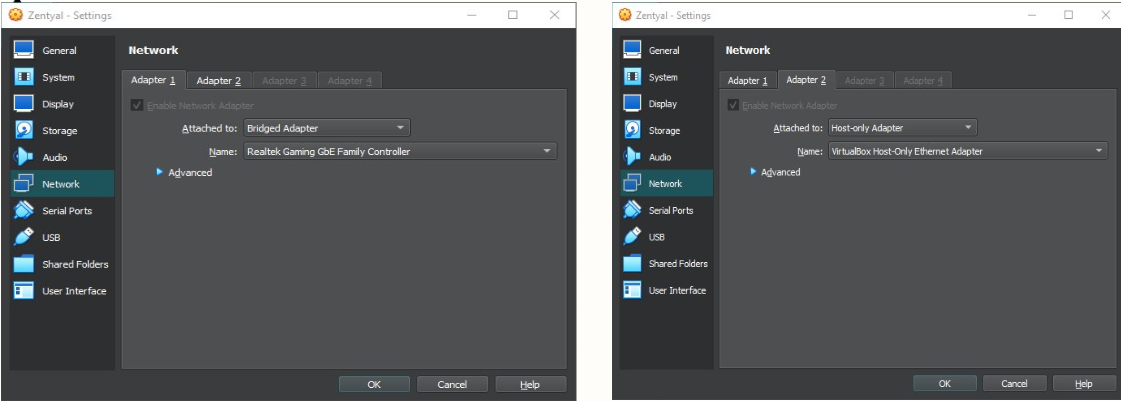
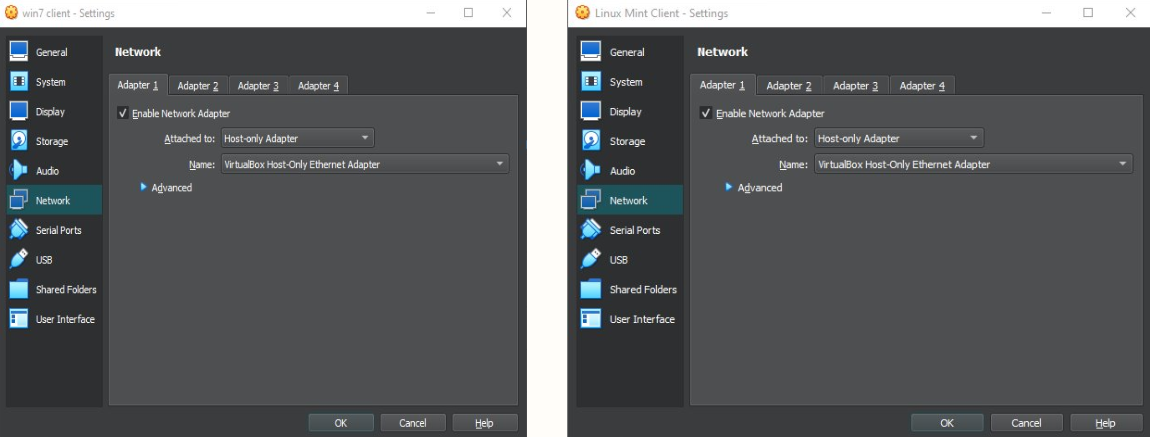
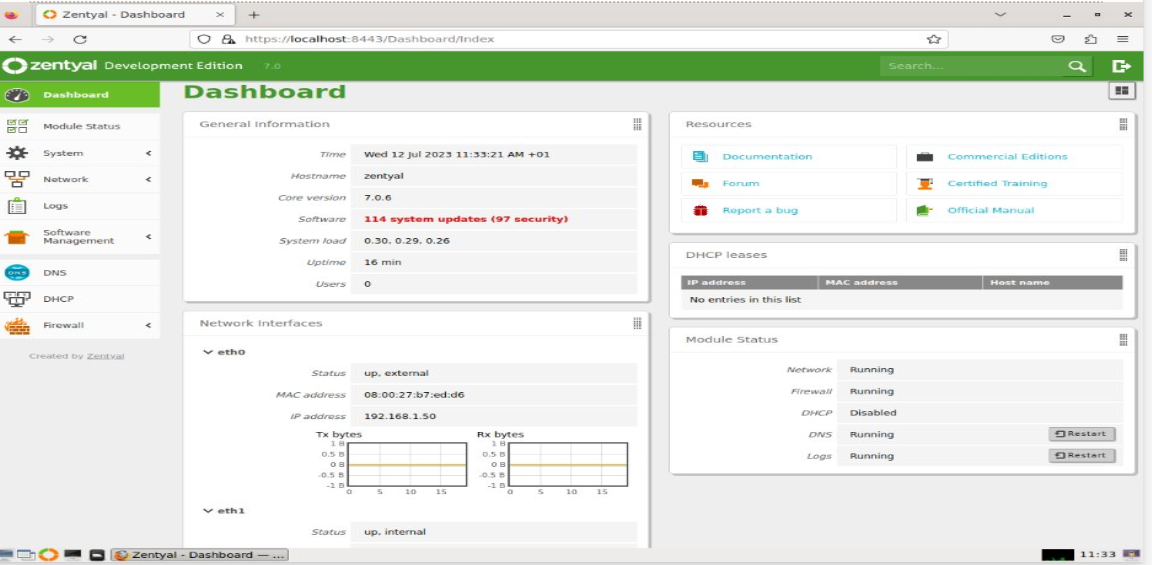
The methodology involves deploying and configuring Zentyal Server as a centralized network administration platform. It includes setting up the required network services, configuring system parameters, and verifying the proper operation of the environment. Practical tests are performed to assess the configuration and availability of the deployed services.
4. Results
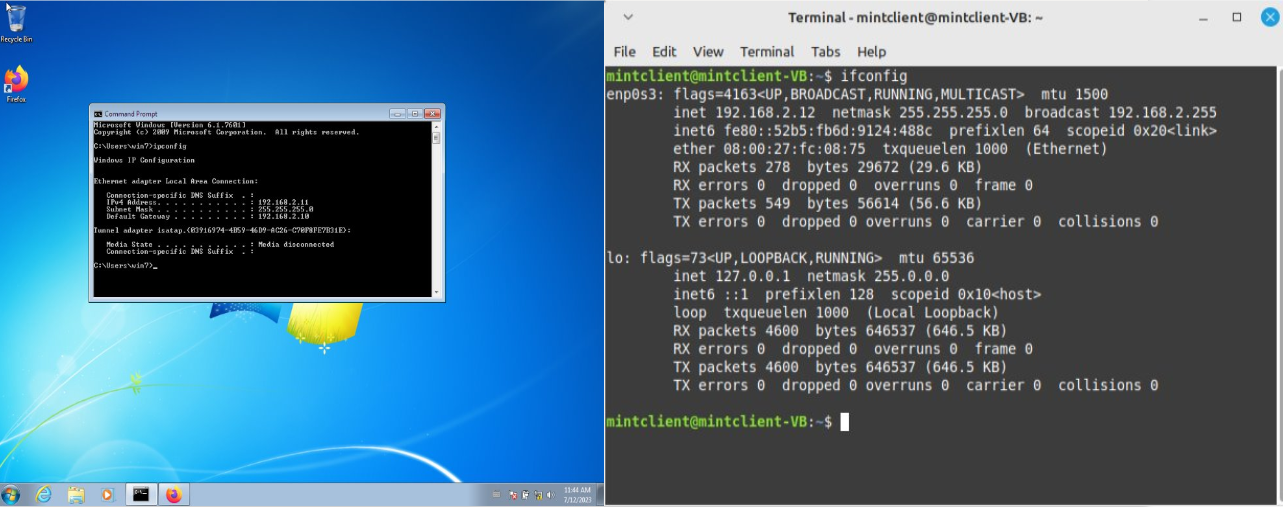
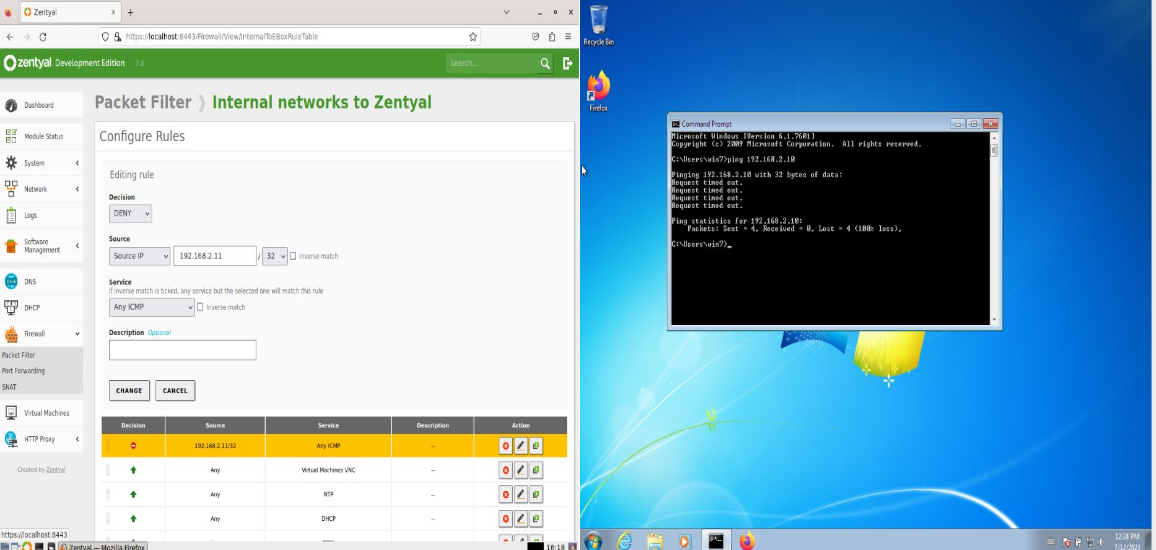
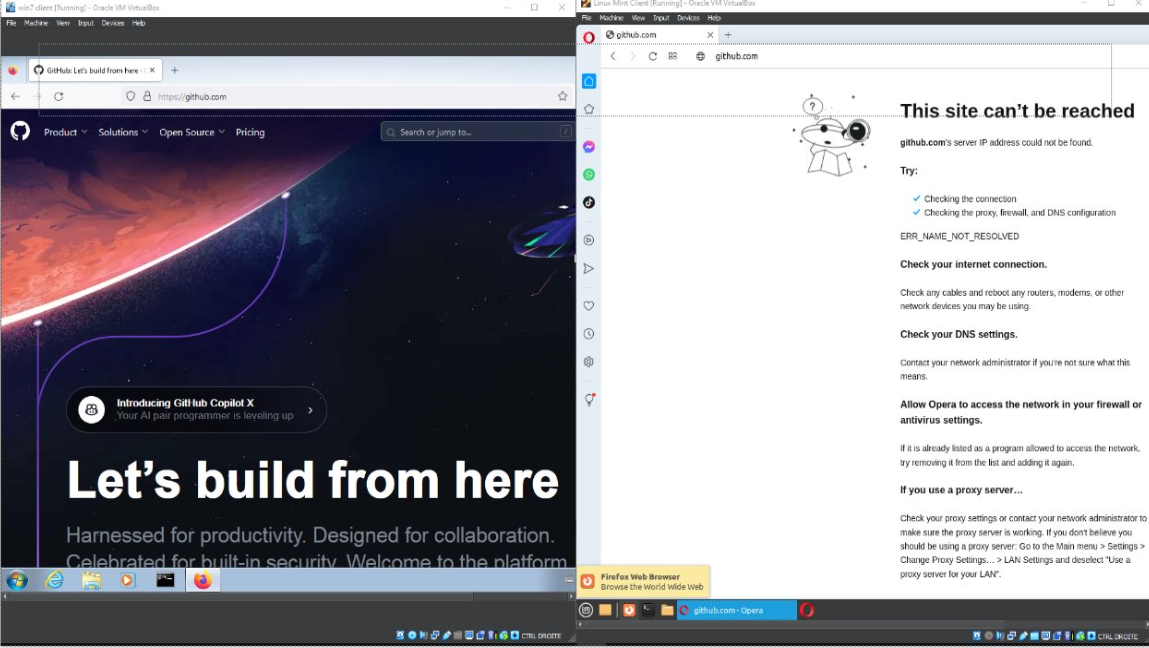
The project successfully established a centralized network administration environment using Zentyal Server. Configuring network services facilitated infrastructure management and improved visibility into system operations. Practical tests were conducted to verify the implemented configurations and the proper functioning of the deployed services.
5. Limitations and future work
The project is limited to the features and services configured within the testing environment. Future improvements could include integrating real-time monitoring tools, implementing automatic alerts for detected anomalies, and strengthening security mechanisms. The project could also evolve into a more advanced monitoring solution incorporating automated network event analysis.
6. References
Bibliography:
- System Administration course notes by Professor Ammy-Driss.
- Final-year project report on the implementation of a monitoring solution (2018–2019).
- Final-year project report on the implementation of a network monitoring solution based on the open-source Nagios software (2010–2011). Online References:
https://hawadtraore.alwaysdata.net/en/projects/zentyal-network-monitoring