

NLP
AI-Powered Customer Support Ticket Classification and Sentiment Analysis
Hawa Doumbe Traore
Abstract
This project develops an AI system that classifies customer support requests into seven categories and analyzes customer sentiment. Using 210 tickets, the models achieved 88.10% accuracy in category classification and improved sentiment analysis accuracy from 61.90% to 88.10%, incorporating human validation.
- Python
- Scikit-learn
- Pandas
- NumPy
- Natural Language Processing (NLP)
- Machine Learning
- Google Colab
1. Problem
Customer support teams receive large volumes of requests containing problems, questions, and feedback. Processing these messages manually can be time-consuming and make it difficult to quickly identify the topic of each request and the sentiment expressed by the customer.
The objective of this project is to develop an artificial intelligence system that automatically classifies support tickets into different categories and identifies their sentiment as positive, negative, or neutral. This approach aims to simplify request analysis and support customer service agents.
2. Data
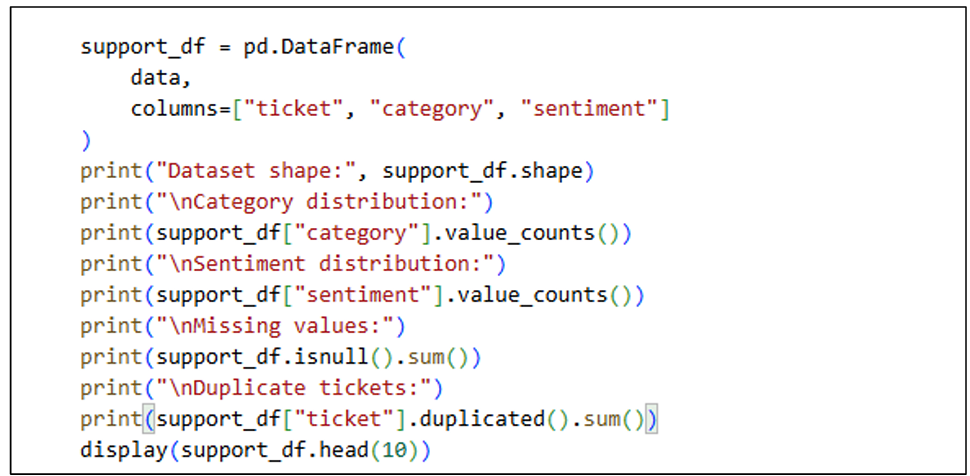
The project uses a dataset containing 210 customer support tickets, distributed across 7 categories, with 30 tickets per category.
The sentiment distribution is:
- Neutral: 85 tickets
- Positive: 70 tickets
- Negative: 55 tickets
The dataset was divided into two subsets:
- Training set: 168 tickets (80%)
- Test set: 42 tickets (20%)
The text messages serve as the system's input data, while the categories and sentiment labels are used for supervised learning and model evaluation.
3. Method
The project relies on Natural Language Processing (NLP) and Machine Learning techniques to analyze customer messages.
The methodology consists of the following steps:
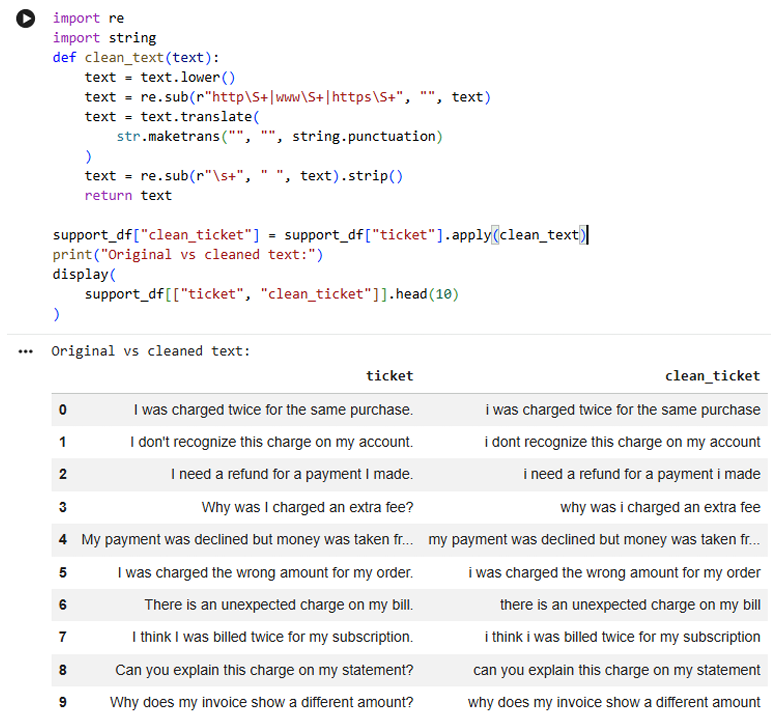
- Preparation and organization of customer support tickets.
- Splitting the dataset into training and testing sets.
- Developing classification models to identify request categories and customer sentiment.
- Evaluating model performance using accuracy.
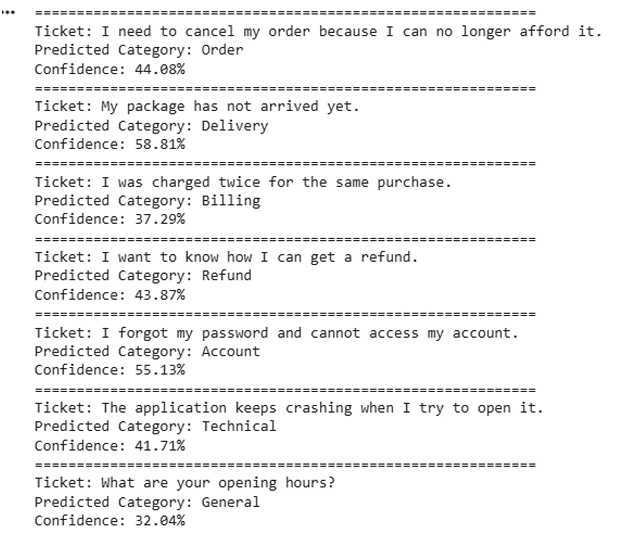
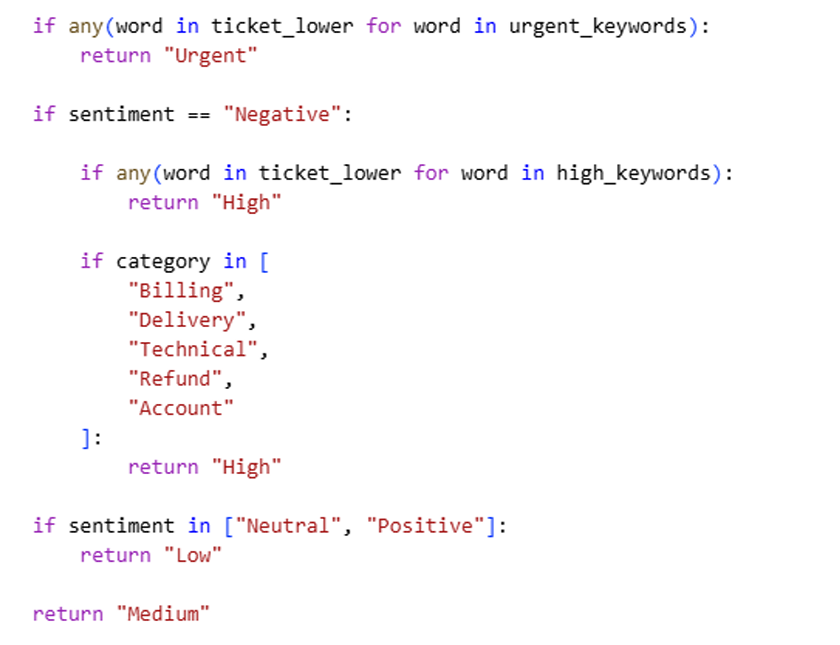
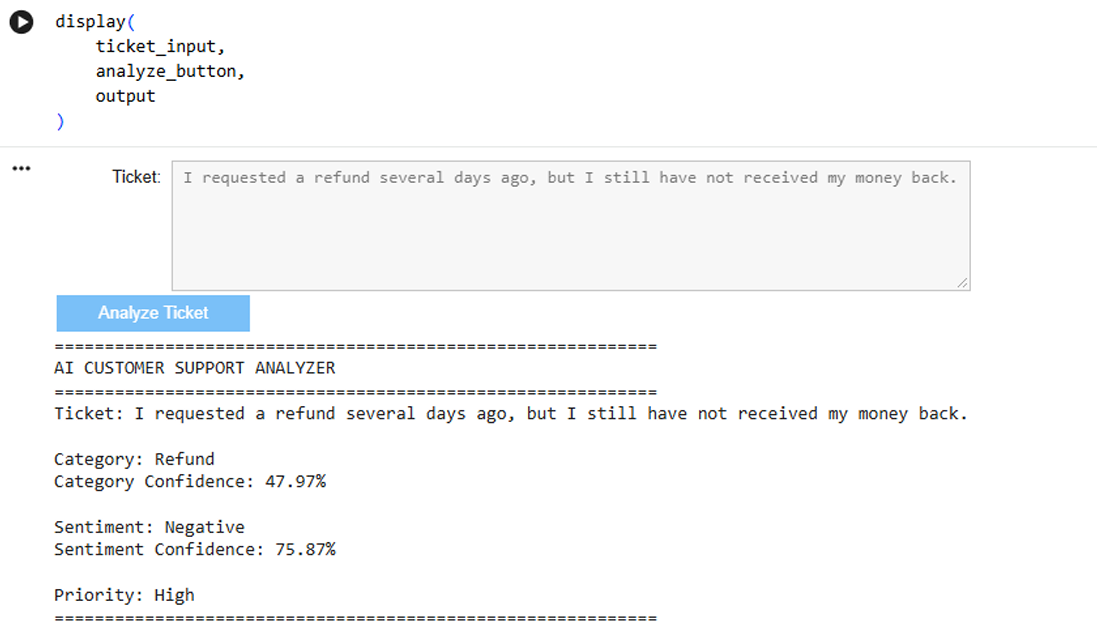
- Developing an interface where users can enter a support ticket and receive an automated analysis.
A second version of the sentiment analysis model was developed to improve its performance. Human validation is also incorporated into the approach, allowing support agents to review the system's predictions.
4. Results
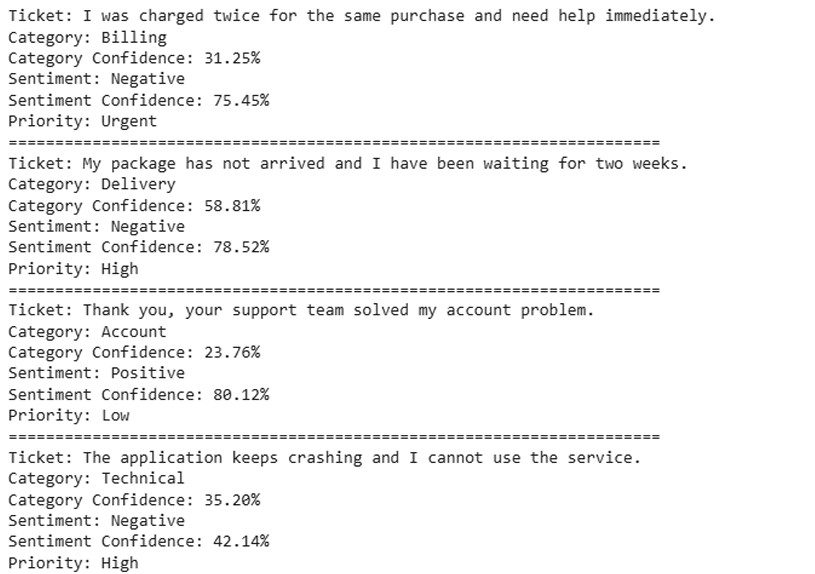
The results demonstrate that the system can classify customer support requests and identify the sentiment expressed in customer messages.
The main performance results are:
- Ticket category classification: 88.10% accuracy.
- Sentiment analysis – Version 1: 61.90% accuracy.
- Sentiment analysis – Version 2: 88.10% accuracy.
The second sentiment analysis model achieved an improvement of 26.20 percentage points compared with the first version.
An interactive interface also allows users to enter a support ticket and display its analysis. These results demonstrate the potential of NLP and Machine Learning in supporting customer service teams.
| Metric | Value |
|---|---|
| Number of tickets | 210 |
| Training samples | 168 |
| Test samples | 42 |
| Category classification accuracy | 88.10% |
| Sentiment accuracy (V1) | 61.90% |
| Sentiment accuracy (V2) | 88.10% |
5. Limitations and future work
Despite the encouraging results, the project has several limitations. The dataset contains only 210 tickets, which is relatively small compared with the diversity of real-world customer support requests. Performance may also vary depending on message quality, wording, and the data used for training.
Future improvements could include:
- Using a larger and more diverse dataset.
- Exploring more advanced NLP models, particularly Transformer-based architectures.
- Evaluating performance with additional metrics such as precision, recall, and F1-score.
- Improving the interface and integrating the system into a customer support platform.
- Strengthening human validation to reduce classification errors.
6. References
-
Google. (n.d.). Google Colaboratory FAQ. Google Research. https://research.google.com/colaboratory/faq.html
-
Holzinger, A. (2016). Interactive machine learning for health informatics: When do we need the human-in-the-loop? Brain Informatics, 3, 119–131. https://doi.org/10.1007/s40708-016-0042-6
-
Jurafsky, D., & Martin, J. H. (2026). Speech and language processing: An introduction to natural language processing, computational linguistics, and speech recognition with language models (3rd ed., online manuscript). Stanford University. https://web.stanford.edu/~jurafsky/slp3/
-
Liu, B. (2012). Sentiment analysis and opinion mining. Morgan & Claypool Publishers. https://doi.org/10.2200/S00416ED1V01Y201204HLT016
-
Liu, B., & Zhang, L. (2012). A survey of opinion mining and sentiment analysis. In C. C. Aggarwal & C. Zhai (Eds.), Mining text data (pp. 415–463). Springer. https://doi.org/10.1007/978-1-4614-3223-4_13
-
Matplotlib Development Team. (n.d.). Matplotlib documentation. https://matplotlib.org/stable/
-
NumPy Developers. (n.d.). NumPy documentation. https://numpy.org/doc/stable/
-
pandas Development Team. (n.d.). pandas documentation. https://pandas.pydata.org/docs/
-
Pedregosa, F., Varoquaux, G., Gramfort, A., Michel, V., Thirion, B., Grisel, O., Blondel, M., Prettenhofer, P., Weiss, R., Dubourg, V., Vanderplas, J., Passos, A., Cournapeau, D., Brucher, M., Perrot, M., & Duchesnay, É. (2011). Scikit-learn: Machine learning in Python. Journal of Machine Learning Research, 12, 2825–2830. https://jmlr.org/papers/v12/pedregosa11a.html
-
Python Software Foundation. (n.d.). Python 3 documentation. https://docs.python.org/3/
-
Sebastiani, F. (2002). Machine learning in automated text categorization. ACM Computing Surveys, 34(1), 1–47. https://doi.org/10.1145/505282.505283
https://hawadtraore.alwaysdata.net/en/projects/ai-customer-support-sentiment-analyzer